The VIVO Manual Height Adjustable Standing Desk Riser review is for desk users looking to add a sit-stand option without replacing their existing desk.
Its two-tier layout, manual lift assist, and moderate footprint make it a practical fit for a focused workstation.
VIVO Standing Riser Review Summary
The quick verdict
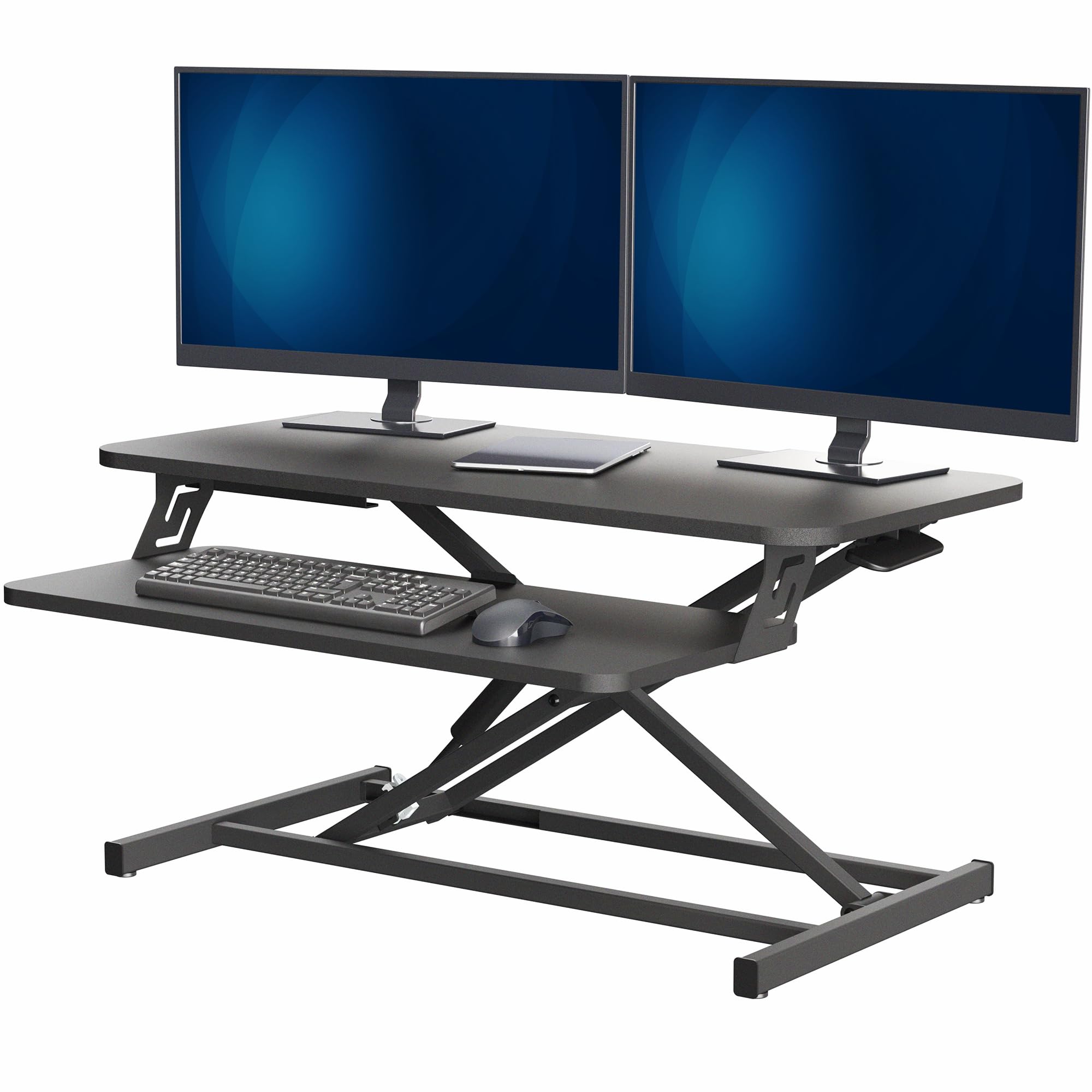
2,000+ ratings
Read Amazon ReviewsVIVO Manual Height Adjustable Standing Desk Riser
A compact sit-stand riser for desk users who want a two-tier setup, manual height changes, and room for a monitor and keyboard.
- Two-tier setup with a 31.5-by-15.8-inch main surface and a keyboard tray that moves in sync.
- Manual pneumatic spring lift with a height range of 4.9 to 19.7 inches.
- Lift-assist mechanism is designed to move the platform straight upward.
- High-grade steel frame with a desktop weight capacity of up to 26 pounds.

Pros
- Adds sit-stand adjustment while retaining an existing desk.
- The keyboard tray moves with the desktop, keeping the two work levels coordinated.
Consider before buying
- The 26-pound desktop capacity makes checking the combined weight of screens and other equipment important.
- The 15.8-inch depth may limit room for a large keyboard, accessories, or a deep monitor base.
Read the full review summary
This riser places a 31.5-by-15.8-inch work surface and a keyboard tray on an existing desk. A pneumatic spring lift raises both levels together, so the keyboard stays with the main surface as you change positions.
The 4.9-to-19.7-inch adjustment range supports shifts between seated and standing work, while the straight-up lift is intended to keep the riser’s movement compact.
The steel frame supports up to 26 pounds on the desktop, which the product description identifies as suitable for dual-monitor or laptop-and-monitor setups.
At 31.5 inches wide, it offers a middle ground between a small monitor stand and a full desk converter. Consider the footprint and total equipment load, including items placed on the keyboard tray, before choosing it.
The buying factors
VIVO Standing Riser Scorecard
Editorial scores reflect listed features and buyer fit; they are not laboratory measurements or customer ratings.
Height adjustment
The pneumatic spring lift and 4.9-to-19.7-inch range provide room to change between sitting and standing positions.
Work surface
The 31.5-by-15.8-inch top offers useful space for a compact setup, though larger peripherals may crowd it.
Keyboard layout
A separate tray rises with the main surface, keeping the keyboard positioned as the riser moves.
Desktop capacity
The desktop supports up to 26 pounds, a useful limit to check against the combined weight of screens and equipment.
Setup effort
Setup is limited to placing the riser on the desk and attaching the keyboard tray.
Existing desk fit
The tabletop mounting design adds adjustable standing functionality while keeping the buyer’s existing desk in use.
Key Features and Specifications of VIVO Standing Riser
- Two-tier setup with a 31.5-by-15.8-inch main surface and a keyboard tray that moves in sync.
- Manual pneumatic spring lift with a height range of 4.9 to 19.7 inches.
- Lift-assist mechanism is designed to move the platform straight upward.
- High-grade steel frame with a desktop weight capacity of up to 26 pounds.
- Black laminated engineered-wood top with an alloy-steel frame.
- Minimal assembly: place the unit on the desk and attach the keyboard tray.
- Manufacturer warranty described as three years.
Pros and Cons of VIVO Standing Riser
Pros
- Adds sit-stand adjustment while retaining an existing desk.
- The keyboard tray moves with the desktop, keeping the two work levels coordinated.
- A 31.5-inch width can accommodate a compact monitor setup without taking up a full desk.
- Minimal assembly reduces setup steps.
Consider before buying
- The 26-pound desktop capacity makes checking the combined weight of screens and other equipment important.
- The 15.8-inch depth may limit room for a large keyboard, accessories, or a deep monitor base.
- The manual lift requires the user to operate the height mechanism when changing positions.
Who Should Buy VIVO Standing Riser?
Good fit
Consider this riser if you want to alternate between seated and standing work but plan to keep your current desk.
Its height range and paired keyboard tray give you a dedicated two-level work area, and the lift moves vertically rather than requiring a full desk conversion.
Before ordering, measure the available desk area and compare the footprint with your monitor base, keyboard, and mouse. Add up the weight of what you intend to place on the desktop and keep it within the 26-pound limit.
It is especially relevant for a compact workstation where a main screen and keyboard are the priority. Minimal assembly also suits buyers who want to add an adjustable setup without a lengthy build.
Who should skip it
Look elsewhere if your setup needs more than 26 pounds on the main desktop or requires substantially more surface depth than 15.8 inches. Check your equipment dimensions and weights before deciding.
This is a manual riser placed on an existing desk. If you need a complete replacement desk or prefer not to operate a lift mechanism during position changes, this design may not match your routine.
How the VIVO Standing Riser fits a compact sit-stand desk
A sit-stand option for the desk you already own
The tabletop design lets you add height adjustment without replacing the underlying desk. Its 4.9-to-19.7-inch range gives room for different working positions, but the comfortable setup will depend on your desk height and the height of your chair.
Measure your seated and standing preferences against the riser’s range before purchase.
Two surfaces, one coordinated movement
The main worktop and keyboard tray rise together, keeping the input area attached to the screen surface as the riser changes height. This arrangement can make transitions feel more coherent than repositioning a keyboard separately.
The tradeoff is that the tray occupies space in front of the main platform, so check how the total depth fits your desk and reach.
Capacity and workspace planning
The desktop’s stated upper load is 26 pounds. Treat that as a limit for the items on the main platform, and check the actual weights of monitors, stands, and accessories before loading it.
The 31.5-inch width gives a dual-monitor arrangement some potential, but monitor bases and cable routing still determine how comfortably the equipment fits.
Assembly and daily adjustment
The riser is described as needing only placement on the existing desk and attachment of the keyboard tray.
Its manual spring-assisted mechanism supports on-demand height changes; buyers who expect frequent transitions should consider whether operating a manual lift suits their routine.
Alternatives to VIVO Standing Riser
Computer Monitor Stands alternative
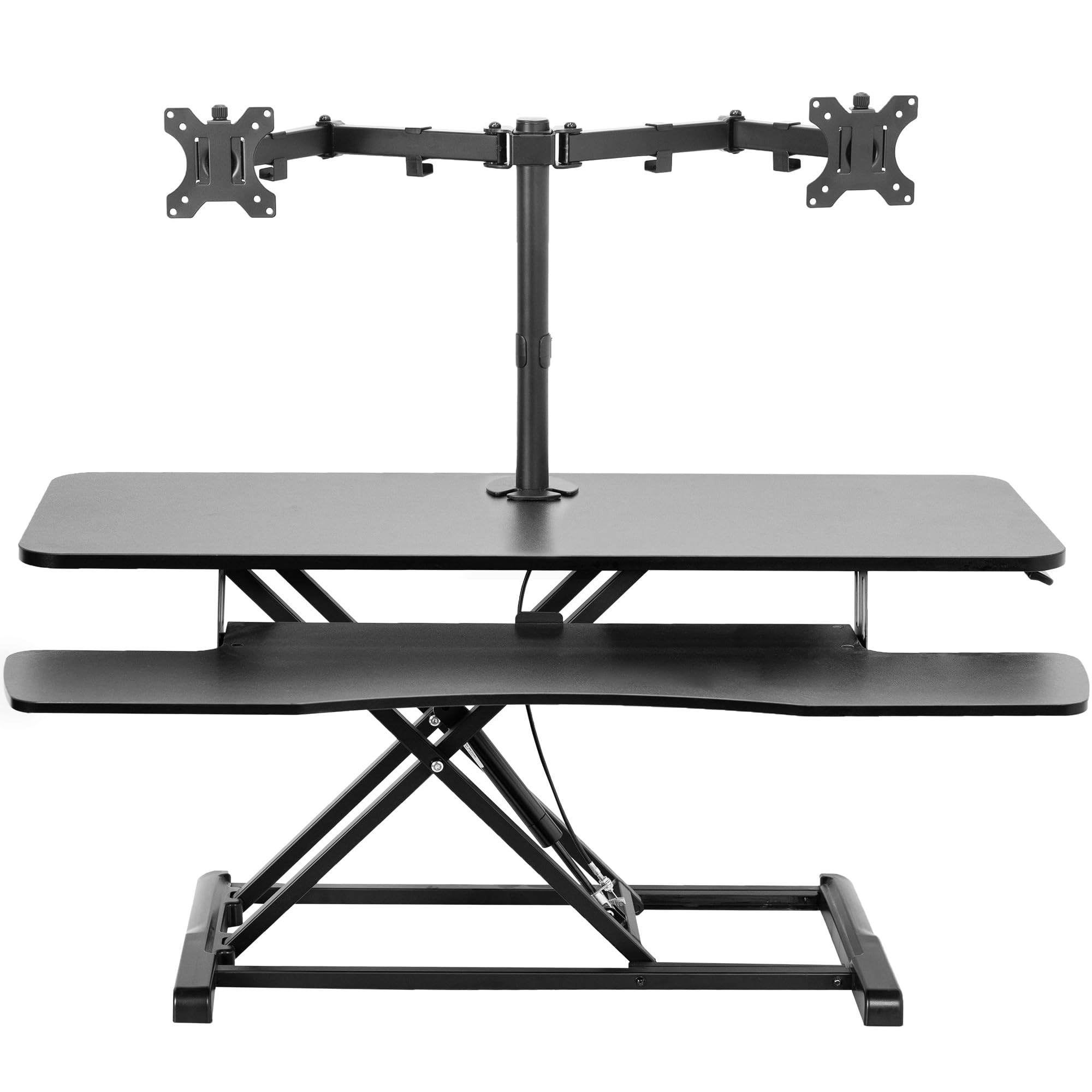
600+ ratings
Read Amazon ReviewsVIVO Standing Desk Converter with Dual Monitor Stand
Choose the reviewed riser if a simpler two-tier work surface better suits your equipment and footprint.
Consider the larger converter if you need an integrated dual-monitor mount and its screen compatibility, per-screen limit, and broader platform fit your setup.
- This 42-by-15.7-inch converter includes a dual-monitor mount for two 13-to-30-inch screens, with a 4.5-to-20-inch manual adjustment range.
- Its mount supports up to 17.6 pounds per screen and offers tilt, swivel, and rotation.
- The reviewed riser has a 31.5-by-15.8-inch desktop, a synchronized keyboard tray, manual height adjustment, and a 26-pound desktop capacity.
Computer Monitor Stands alternative
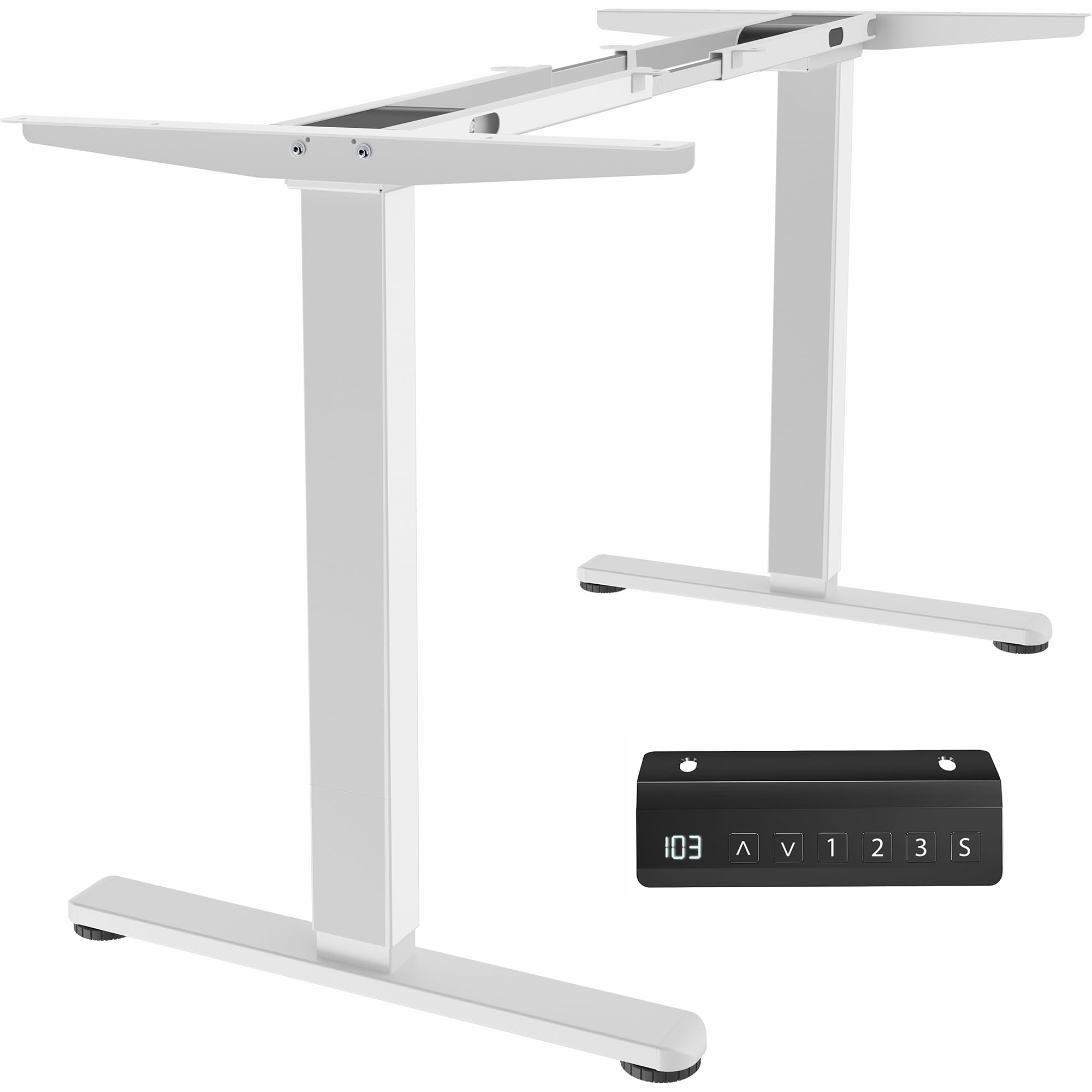
1,000+ ratings
Read Amazon ReviewsVIVO Electric Dual Motor Standing Desk Frame
The riser is a more direct fit if you want to keep your desk and add a compact manual converter. The electric frame suits buyers planning a larger, full standing desk with powered adjustment and a compatible tabletop.
- This electric frame is designed for a separately purchased tabletop measuring 40 to 77 inches long and 23 to 43 inches wide.
- It adjusts from 28.5 to 47.3 inches, supports up to 220 pounds when connected to power, and has three memory settings.
- The reviewed riser sits on an existing desk and uses a manual lift to adjust a compact desktop and keyboard tray.
Is VIVO Standing Riser Worth It?
The VIVO Manual Height Adjustable Standing Desk Riser is worth considering if you want a compact, manually adjustable workstation that sits on your existing desk.
Its synchronized keyboard tray and straight-up lift make the two-tier design practical for switching positions.
Check the available desk depth and the combined desktop load before buying. The 26-pound limit and 15.8-inch depth are the main constraints to weigh against your monitor arrangement and daily work habits.
Your review at a glance
2,000+ ratings
Read Amazon ReviewsVIVO Manual Height Adjustable Standing Desk Riser
A compact sit-stand riser for desk users who want a two-tier setup, manual height changes, and room for a monitor and keyboard.
- Two-tier setup with a 31.5-by-15.8-inch main surface and a keyboard tray that moves in sync.
- Manual pneumatic spring lift with a height range of 4.9 to 19.7 inches.
- Lift-assist mechanism is designed to move the platform straight upward.
- High-grade steel frame with a desktop weight capacity of up to 26 pounds.